IT security HP Wolf Security Service for Print
Employees are working from home. Time for your IT security to do the same!


Your security is only as strong as the weakest link

%
of all ITDMs report significant data loss due to unsecured printing in six months of teleworking¹
of employees access company data from private devices²
%
of IT executives say that their company is not sufficiently prepared for remote working.
Printers that protect themselves
With the world's most secure printers, HP Wolf Security defends your network and protects it from cybercriminals targeting print infrastructure.⁴ Because our continuous, hardware-based protection and managed services enable a fail-safe, borderless workplace, whether for the home, small to mid-sized business or large enterprise.

HP Wolf Pro Security For Print
Perfect for smaller teams
Don't leave yourself and your business vulnerable to unsecured printers. To prevent this, HP Wolf Pro Security uses continuous, hardware-based protection to ensure endpoint security and user productivity.4

Security embedded in the hardware
Isolates potential threats before they cause damage and guarantees medium-sized companies optimum protection when printing.
Services and solutions for greater security
With the help of authorized partners to assess and mitigate threats, it allows small teams to manage all their printers themselves.
Security at business level, directly integrated into the silicon
By building protection directly into the hardware, firmware and operating system, the printer remains secure and resilient. This reduces the dependency on good end-user behavior.
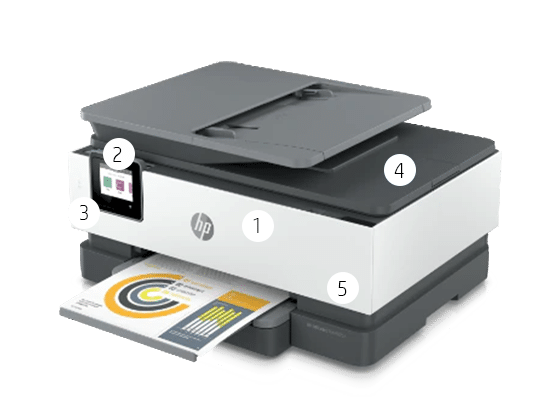
1. secure booting with firmware validation

2. automatic formware update
This function is activated by default and protects against the latest threats by always providing the latest version of the printer firmware.
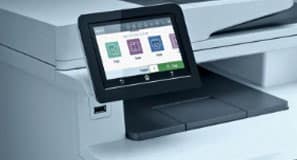
3. unique password

4. write-protected data memory

5. safe and reliable ink/toner cartridges⁵
Services and solutions for greater security

More power, achieve more
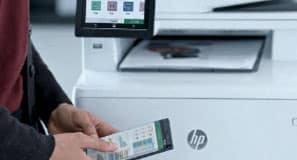
With HP Security Manager, a single IT staff member can manage an entire fleet of printers, including setting security policies, assisting with compliance and protecting workflows.

Protect documents and avoid waste
Print confidential documents on shared printers and let authorized users share them with a QR code to keep print jobs private and reduce waste.⁶

Detect threats quickly
HP Security Assessment Tools quickly scan your printer fleet, identify vulnerabilities such as outdated firmware or network settings, and provide options on how to close the gap.
HP Wolf Pro Security For Print
For vigilant big players
The larger a company is, the more security it needs. That's why the world's most secure and robust printers with different defense strategies ensure protection, detection and self-healing.⁷

Take the pressure off your IT teams
From the implementation of security policies to the secure use of the cloud, HP print security services can take the burden off the IT department.
Simplify your security routines
Optimize security policies for your printer fleet, ensure compliance and protect your workflows with HP solutions.
Experience hardware-based security
Built into the silicon: real-time detection, automatic monitoring and ongoing validation to protect your printer at every stage of operation.
Integrated protection: The world's most secure printers.⁸
By building protection directly into the hardware, firmware and operating system, the printer remains secure and resilient. This reduces the dependency on good end-user behavior.
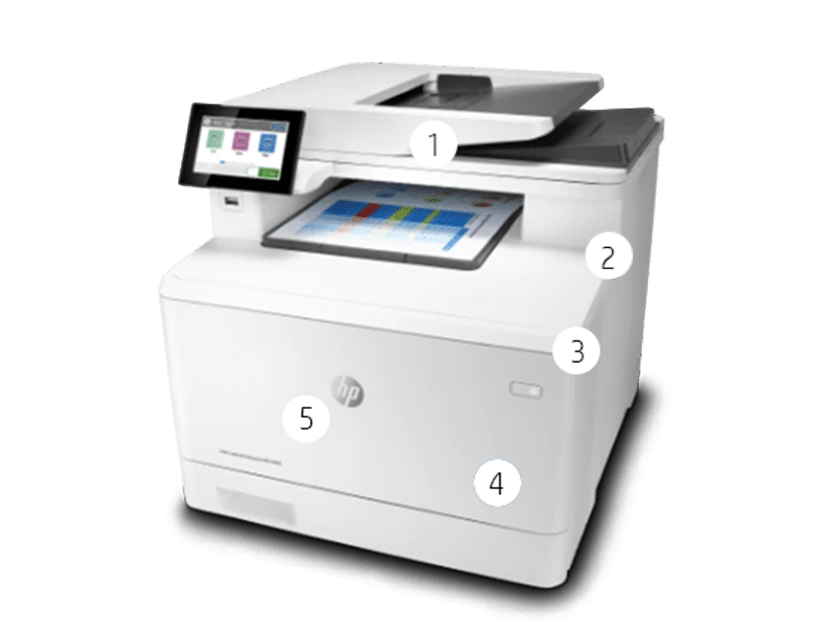
1. makes BIOS tamper-proof
If a compromised version of the BIOS is detected at power-up, HP Sure Start restarts the printer with a secure "golden copy" of the BIOS.

2. whistelisting
Our whitelisting is certified according to Common Criteria and ensures that the firmware is digitally signed by HP. If there are signs of tampering, the printer is reset to a secure state.

3. monitors the data memory

4. monitors the network

5. safe and reliable ink/toner cartridges¹⁰

Print Solutions:
Security made simple
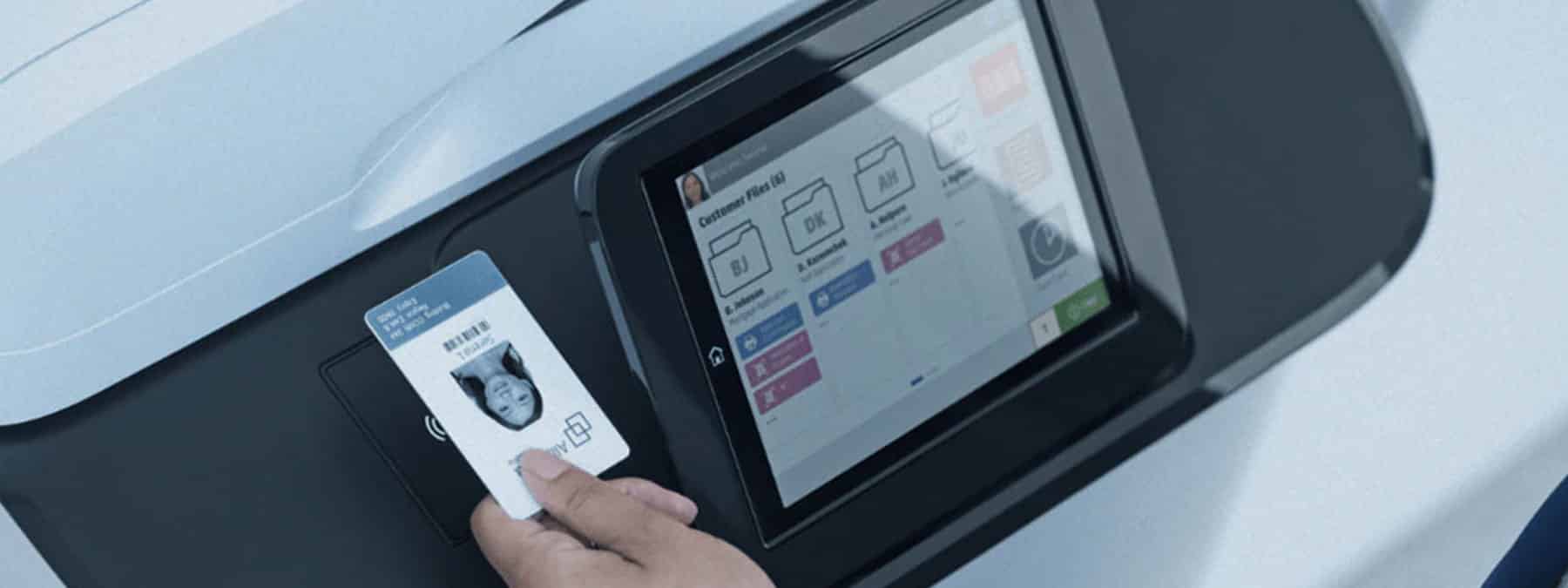
Optimized protection with a single policy
HP Security Manager is our most comprehensive print security solution. It works tirelessly to ensure your security policies are adhered to fleet-wide so you don't have to.
Protect documents and avoid waste
Print sensitive documents to shared printers without security concerns and reduce waste caused by accidental and unclaimed print jobs with HP Secure Print.¹¹
Increase efficiency, reduce costs
HP Advance is a highly scalable print management software that enhances security through user authentication, secure mobile printing and streamlined digital processes.¹²

Our experts will be happy to advise you on the individual options.
Fill out our contact form or call us directly. We look forward to talking to you.
You are currently viewing placeholder content from Microsoft Dynamics Forms. To access the actual content, click the button below. Please note that this will result in data being shared with third parties.
More Information
2 Trend Micro, Head in the Clouds: How remote working behaviors are exposing organizations to risk,
https://resources.trendmicro.com/rs/945-CXD-062/images/HeadintheCloudReport.pdf, July 2020
3Remotework changing landscape: IT Leader View, HP, May 2020
4Statementincludes HP's most advanced built-in security features available on HP Enterprise and HP Managed devices with HP FutureSmart firmware 4.5 or later. The statement is based on HP's review of published 2019 feature claims for comparable printers from other vendors. Only HP offers a combination of security features that detect and stop attacks and remediate with a reboot with self-repair capability in accordance with NIST SP 800-193 guidelines for device cyber resilience.
5HPOffice printing systems include select Enterprise and Managed devices with FutureSmart firmware 4.5 and higher, Pro devices, LaserJet models 200 and higher with corresponding Original HP toner cartridges, PageWide and ink cartridges. They do not include HP ink/toner cartridges with integrated print head. Digital supply chain tracking and hardware and packaging security features vary locally by SKU. See hp.com/go/SuppliesThatProtect and hp.com/go/SuppliesSecurityClaims.
Requires downloading the HP Smart app. For details on local printing requirements, see www.hp.com/go/mobileprinting. Certain features/software are only available in English and vary depending on which mobile application is used. Registration may be required. Subscription may not be available in all countries. See www.hpsmart.com for details. Internet access is required and must be purchased separately. An HP account is required for full functionality. A list of supported operating systems is available in the app stores. Fax features are for sending faxes only. Monthly fees apply after 24 months to continue using the advanced features of HP Smart Advance. HP Smart Advance is not available in all countries. For more information, visit www.hpsmart.com.
6HPOffice printing systems include select Enterprise and Managed devices with FutureSmart firmware 4.5 and higher, Pro devices, LaserJet models 200 and higher with corresponding Original HP toner cartridges, PageWide and ink cartridges. They do not include HP ink/toner cartridges with integrated print head. Digital supply chain tracking and hardware and packaging security features vary locally by SKU. See hp.com/go/SuppliesThatProtect and hp.com/go/SuppliesSecurityClaims.
7HPOffice printing systems include select Enterprise and Managed devices with FutureSmart firmware 4.5 and higher, Pro devices, LaserJet models 200 and higher with corresponding Original HP toner cartridges, PageWide and ink cartridges. They do not include HP ink/toner cartridges with integrated print head. Digital supply chain tracking and hardware and packaging security features vary locally by SKU. See hp.com/go/SuppliesThatProtect and hp.com/go/SuppliesSecurityClaims.
8HP's most comprehensive built-in security features are available on HP Enterprise and Managed devices with FutureSmart firmware 4.5 or later. This claim is based on HP's review of published 2021 feature claims for comparable competitive printers. Only HP offers a combination of security features to automatically detect and block attacks and restore the system after an attack thanks to a self-repairing BIOS - in accordance with NIST SP 800-193 guidelines for device resilience to cyberattacks. A list of compatible products can be found at hp.com/go/PrintersThatProtect. For more information, visit hp.com/go/PrinterSecurityClaims.
9Externalcertification according to Common Criteria Information Technology Security Evaluation ISO/IEC 15408 with specifications as of May 2019. The certification applies to HP Enterprise and Managed devices with HP FutureSmart firmware version 4.5.1 or higher. Click here for more information.
10HPOffice printing systems include select Enterprise and Managed devices with FutureSmart firmware 4.5 and higher, Pro devices, LaserJet models 200 and higher with corresponding Original HP toner cartridges, PageWide and ink cartridges. They do not include HP ink/toner cartridges with integrated print head. Digital supply chain tracking and hardware and packaging security features vary locally by SKU. See hp.com/go/SuppliesThatProtect and hp.com/go/SuppliesSecurityClaims.
11HPSecure Print - HP Secure Print works with most network-enabled printers and MFPs. HP FutureSmart firmware 4.8 or higher is required for device authentication. Supported card readers are X3D03A (HP USB Universal Card Reader) and Y7C05A (HP HIP2 Keystroke Reader). An Internet connection is required for some functions. For more information, visit hp.com/go/secureprint.
12HPAdvance - HP Advance works with most network-enabled printers and MFPs. HP FutureSmart firmware 4.8 or higher is required for device authentication. Supported card readers are X3D03A (HP USB Universal Card Reader) and Y7C05A (HP HIP2 Keystroke Reader). An Internet connection is required for some functions. For more information, visit hp.com/go/advance.